Google Drive: Multi-Sheet Import & File Refresh

Samuel Su
on December 16, 2025Two key improvements to Google Drive integration make it easier to manage your chatbot's data sources.
Multi-Sheet Import for Google Sheets
Import all tabs from a Google Sheets file in one operation. Previously, you could only import one sheet at a time, requiring multiple imports or consolidating data into a single tab.
All tabs are automatically detected and imported together. If multi-sheet processing fails, the system falls back to CSV export.
Common use cases:
- Product catalogs across multiple sheets
- FAQ databases split by category
- Documentation with separate tabs
One-Click File Refresh
Update Google Drive files without deleting and re-importing. Click the refresh icon to fetch the latest version.
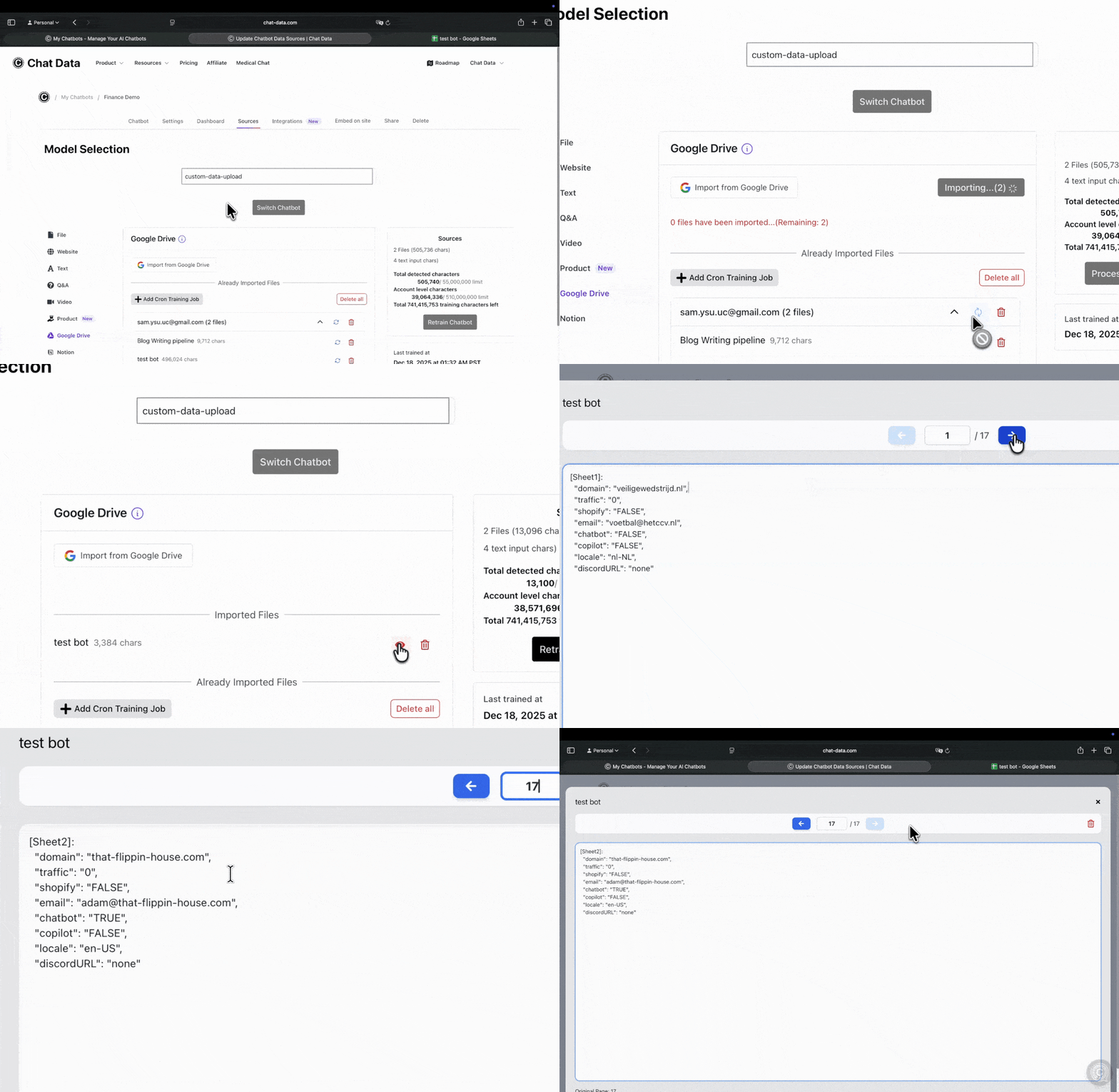
Refresh options:
- Individual file: Click the refresh icon next to a specific file
- Group refresh: Click the refresh icon in the email group header to update all files from that account
Behavior:
- Changed files appear in your import queue for retraining
- Unchanged files trigger a notification: "File is already up to date"
- No unnecessary processing occurs
Automatic Change Detection
The system determines which files have changed and only re-processes those files. You receive clear notifications about which files updated and which are already current.
You can refresh files as often as needed without wasting resources—unchanged files are detected automatically.
Getting Started
Import multi-sheet spreadsheets:
- Go to Data Sources → Google Drive
- Select a Google Sheets file with multiple tabs
- Click Import Selected - all tabs import automatically
Refresh files:
- Navigate to Data Sources → Google Drive
- Click the refresh icon next to a file or in the email group header
- Check the notification to see what updated