Custom Forms: Collect Structured Answers Inside the Chat

Samuel Su
on November 7, 2026Some conversations need more than a quick answer. To send a quote, book a visit or start a return, your chatbot needs a few details, and asking for them one message at a time is slow. Now your chatbot can open a form right in the chat, and carry on as soon as the visitor submits it.
What your visitors can ask
- "Can I get a quote for 3 Pro kits?" - a quote form opens, ready for the visitor's details.
- "I want to return my order" - a return form asks for the order and the reason.
- "Can I book a visit next week?" - a booking form collects the date, time and contact details.
How it works
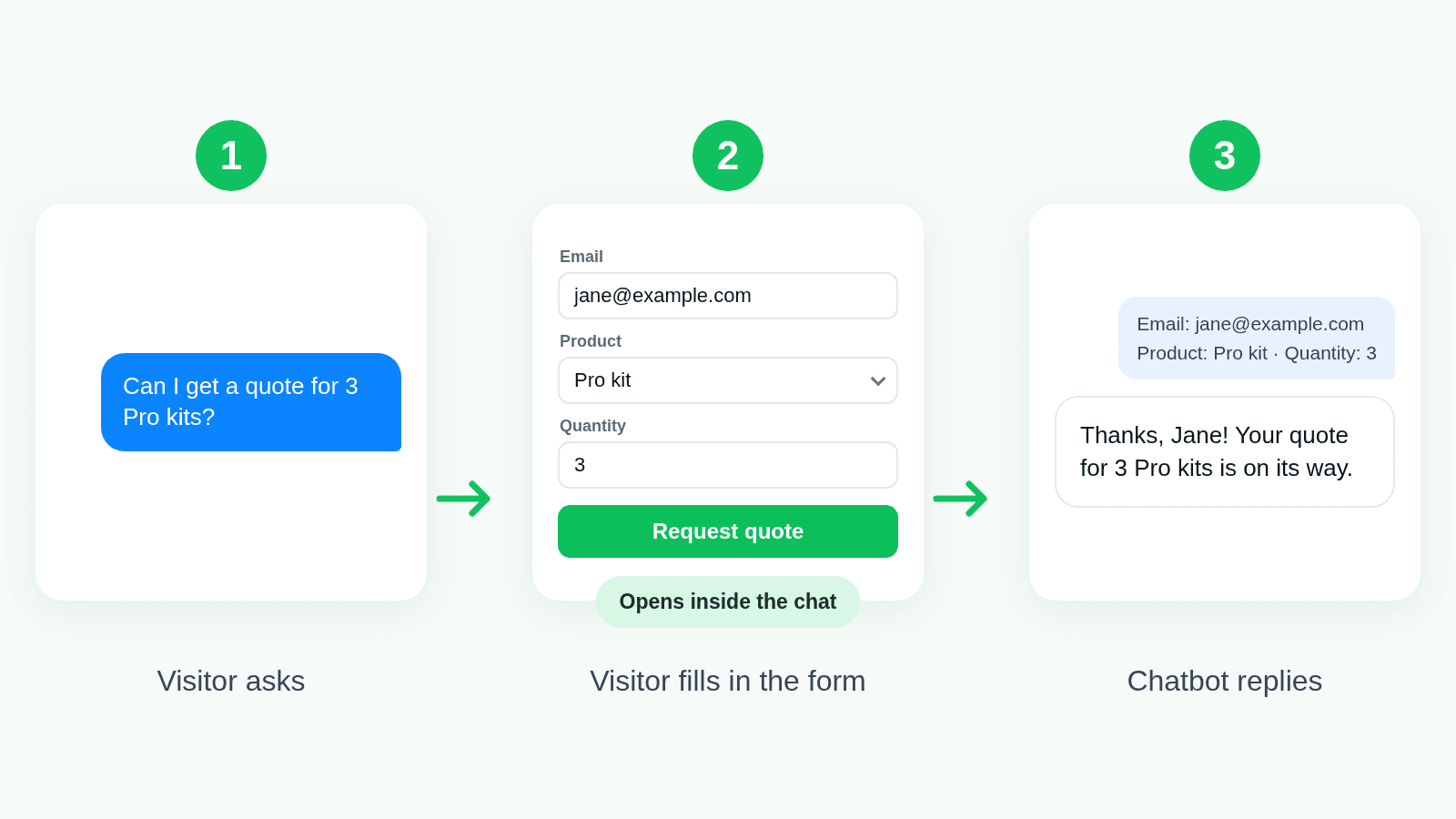
- Your visitor asks in the chat on your website.
- A form opens in the chat. Details the visitor already gave can be filled in for them, so they only check and submit.
- Your chatbot replies using the answers straight away. Each submission can also go to your own server.
Build it your way
- No code. Add the fields in your dashboard: text, email, phone, numbers and option lists.
- Built from your page. A short piece of JavaScript can build the form when it opens, for example from the visitor's cart. Add it in your dashboard, or let your developer connect it from your site.
Where it works
- In chat on your website, in standard mode and in AI Agent mode.
- In the AI Conversation and AI Agent steps of your workflows. The workflow waits for the form, so the next steps have the answers.
Forms are made for chat on your website, so they don't appear over the API, messaging apps or phone calls.
Good to know
- Make it required when the visitor must answer before chatting on, or let them close it.
- Receive every submission on your webhook, signed so you know it came from Chat Data.
- Keep secrets out. Code that builds a form runs in your visitor's browser, so never put passwords or API keys in it.
Get started
Open Settings → Actions, choose Custom form, add your fields and save. Then ask your chatbot on your website. See the Custom Forms guide for every option.