An AI Assistant That Replies As You in Telegram Business
Your customers DM you on Telegram. The AI answers under your name, with your voice, while you sleep, travel, or focus. Take over any chat instantly — no handoff, no awkward “talking to a bot” moment.
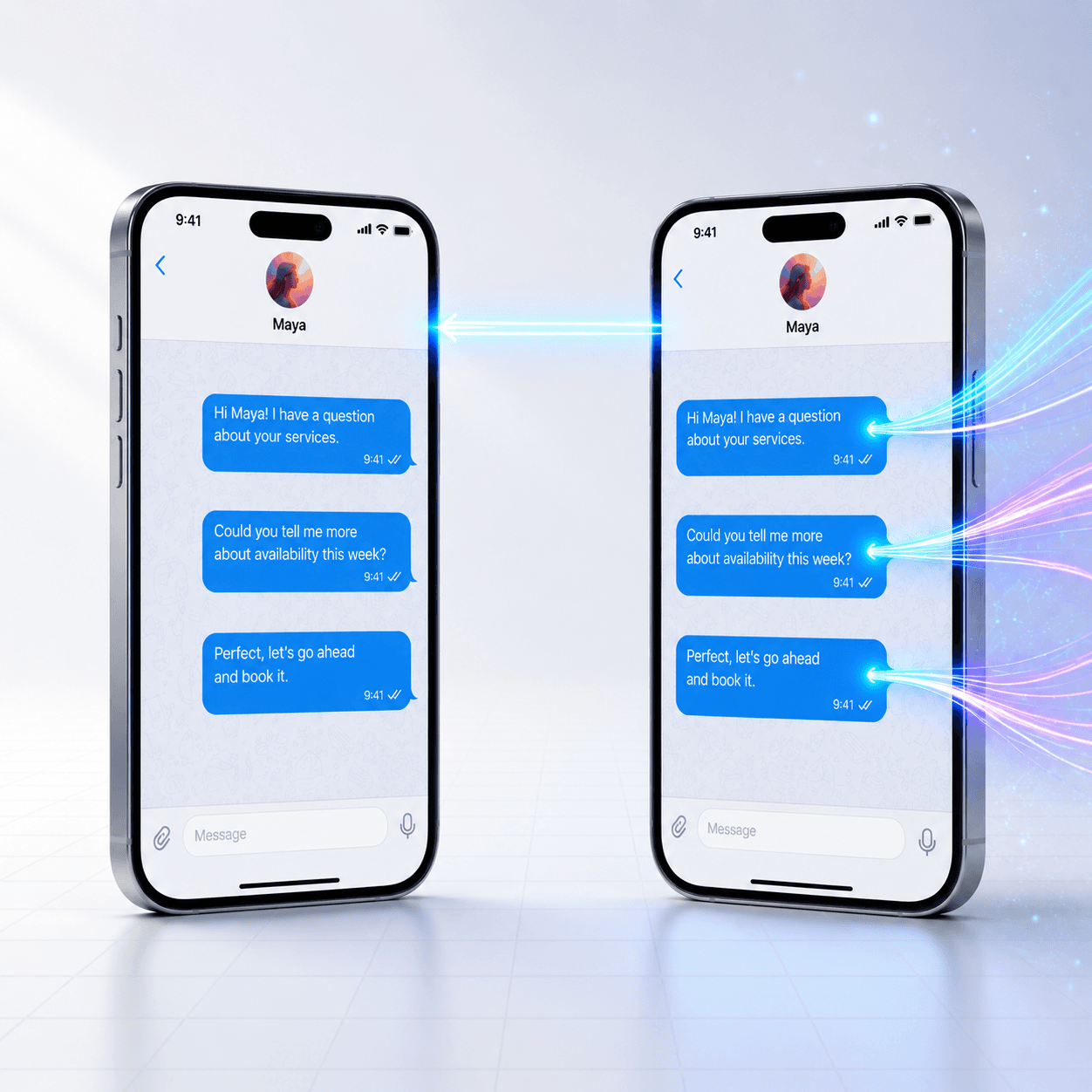
Plans from $19/month.[*] Replies in 95+ languages.[*] One bot, unlimited connected business accounts.[*]
Connect an AI Bot to Telegram Business Mode
To connect a bot to Telegram Business, the bot must first support Business Mode in BotFather. If Telegram says “this bot does not support Telegram Business yet,” the business account is not the problem; the bot owner needs to enable Business Mode before the bot can appear under Telegram Settings → Business → Chatbots.
After Business Mode is enabled, Chat Data connects the bot token, listens for business connection updates, and routes AI replies through the Telegram Bot API. Telegram does not charge a separate Bot API fee for those calls; your cost is the AI platform, model usage, and any Telegram account subscription requirements.
What is a Telegram Business chatbot?
A Telegram Business chatbot is an AI assistant that connects to your personal Telegram Business account and replies to your customers as you — not as a separate bot. When Telegram launched Business Mode in 2024[*], it introduced a business_connection API[*] that lets a bot send messages on behalf of the human account owner. Chat Data uses this API to route AI-generated answers through your business connection, so customers see your name and avatar in their chat. There is no bot UI, no handoff, no disclosure prompts unless you choose to add them.
The AI never overrides you. When you reply manually, the integration automatically pauses LLM responses for that conversation for 30 minutes by default — your manual reply stays the latest word, and the AI quietly steps back.
By the Numbers
Why Telegram Business is the right surface to put AI behind.
business_connection API[*]business_connection, business_message, edited_business_message, deleted_business_messagesAnatomy of a Business Reply
What a single message looks like on the wire — from your customer's tap to your name appearing in their chat.
- 1Customer types a message
A customer DMs you on Telegram. To them, it's a normal 1:1 chat with you — they don't see the bot.
- 2Telegram routes it to our webhook
Telegram delivers a
business_messageevent carrying:{ "business_connection_id": "abc...", "from": { "id": 999, ... }, // the customer "chat": { "id": 999, ... }, // private chat "text": "Hi, do you sell X?" } - 3Chat Data invokes the AI
The conversation is keyed by
telegram:bc:<bcid>:<customer_id>, so this customer's history is fully isolated from every other customer on every other Business account. - 4Reply sent through your business connection
Outgoing payload includes the
business_connection_id. Telegram displays it in the customer's chat as a message from you — your name, your avatar, your timestamp.
How It Works
Four steps. Five minutes. No code.
Enable Business Mode on Your Bot
In @BotFather, send /mybots → pick your bot → Bot Settings → Business Mode → Turn on. This tells Telegram your bot is eligible to connect to a Business account.
Connect to Chat Data
Paste your bot token into the Chat Data integration panel. The webhook subscribes to business updates automatically — no extra configuration needed.
Add the Bot in Your Telegram Settings
Open Telegram on your phone or desktop: Settings → Business → Chatbots → search your bot username → tap to connect. Grant reply permissions.
Let Customers Message You
When customers DM you, the AI replies under your name. Open the chat anytime to take over manually — the AI detects your message and pauses for 30 minutes.
This Is Where You Connect Your Bot
Open Telegram on your phone or desktop, go to Settings → Business → Chatbots, and search your bot by username. Once connected, you control the permissions per-bot: whether it can reply, read, or delete messages.
The connection lives in your Telegram account — you can pause it, revoke it, or remove the bot entirely without touching the Chat Data dashboard. Telegram is the source of truth.
- →Reply to messages — toggle to enable/disable the AI per connection
- →Read messages — required so the AI sees what customers send
- →Delete messages — keep off; the integration doesn't need this permission

Built for People Who Chat 1:1 With Customers
If your business runs through your personal Telegram inbox — this is for you.
Real Estate Agents
Pre-qualify leads, send property details, schedule viewings — all while you're showing a different listing.
Coaches & Consultants
Answer FAQs about your method, share booking links, and warm up prospects before discovery calls.
Freelancers & Creators
Reply to project inquiries with rates, availability, and portfolio links — even while you're in deep work.
Solo Entrepreneurs
Run a one-person business without becoming a 24/7 reply machine. The AI handles routine, you handle nuance.
Service Professionals
Lawyers, accountants, designers — capture intake details and route urgent matters to your attention.
Boutique Sellers
Reply to product questions, share availability, and capture orders from your personal Telegram inbox.
Built for Personal-Business Chat
Replies as You
Outgoing messages route through Telegram's business_connection_id so the customer sees your name and avatar — not a separate bot account.
Instant Manual Takeover
Type a reply yourself and the AI detects it within milliseconds, pausing for 30 minutes by default. Configurable per-bot.
Per-Customer Isolation
Every customer has a separate conversation context. The AI never mixes one chat's history into another's.
Voice + Photo + Document
Customers send a voice memo, a screenshot, or a PDF — the AI transcribes, analyzes, and replies in context.
95+ Languages
Auto-detects the customer's language. Reply to a German customer in German, a Brazilian in Portuguese — without switching anything.
Lead Capture
Workflow nodes prompt for email, phone, or custom fields inline. Captured leads flow straight into your CRM.
Business Connection vs Public Bot
Two different products for two different audiences. Most prosumers want the first.
| Aspect | Business AI Assistant (this page) | Public Bot (@yourbot) |
|---|---|---|
| Who customers see | You, by name | @yourbot |
| Where the chat lives | Your personal Telegram inbox | Separate bot chat |
| Audience | 1:1 customer relationships | Public, groups, channels |
| Telegram Premium needed? | Yes — Telegram Business requires Premium | No |
| Manual takeover | Just type — AI pauses | Live-chat dashboard handoff |
| Inline buttons | Disabled (routing safety) | Full support |
| Best for | Freelancers, agents, coaches, consultants | SaaS support, communities, channels |
Running a community or public-facing bot instead? See our public Telegram bot guide.
“When Telegram released the
business_connectionAPI, the question stopped being ‘how do I scale my bot?’ and started being ‘how do I scale myself?’ Solo operators don't want a bot in their customer chats — they want themselves, multiplied. That's what we built for. The AI replies under your name, you stay the canonical voice, and the moment you type something yourself, the bot quietly steps back. Customers never know the difference. You get your evenings back.”Samuel Su
Founder & CEO
AI AgentsWorkflow AutomationSaaS ArchitectureCustomer Support AIProduct StrategyFounder & CEO, Chat Data — on the design intent behind Telegram Business support
You Stay in Control. Always.
Customer relationships are too important to fully automate. The AI is a careful assistant, not a substitute. Three guarantees built into the integration:
Type-to-Override
Open the chat, type your own message — the AI sees it and steps back automatically for 30 minutes.
Owner-Managed Connection
Pause, revoke reply permissions, or disconnect entirely from Telegram → Settings → Business → Chatbots. No dashboard required.
History You Can Audit
Every AI reply and every manual takeover is logged in Chat Data, sortable per customer, exportable on demand.
Compliance & AI Disclosure
When an AI replies as you, your customers don't see a “bot” label by default. Whether you need to disclose AI involvement depends on your jurisdiction and the substance of the conversation. The two regulations most likely to apply to prosumers and small businesses:
EU AI Act (Article 50)
Article 50 transparency obligations apply from 2 August 2026. If you operate in the EU or serve EU customers, the Act requires that natural persons interacting with an AI system be informed of that fact “unless this is obvious from the circumstances of use.”
One approach: add a line to your system prompt instructing the AI to disclose on first contact, e.g. “You are an AI assistant for [Name]. If asked directly whether you are AI, confirm honestly.” Whether this is sufficient depends on context; consult counsel.
California SB 1001 (Bot Disclosure Law)
In effect since July 2019. Bots used in California to knowingly deceive about their non-human identity for commercial transactions or to influence votes are prohibited. Personal-business chats that lead to a sale may fall within scope depending on facts.
One approach: a brief disclosure when the conversation reaches transactional intent may help satisfy disclosure expectations; you don't need to prefix every message. Specific compliance turns on your facts — consult counsel.
Chat Data does not provide legal advice. The disclosure configuration is in your hands — the integration ships with no automatic disclosure injection so you can comply with whichever regime applies. Consult counsel for your jurisdiction.
Reviewed for Accuracy
Samuel Su
Founder & CEO
Coverage reviewed against the channel integration catalog and language support report, with platform claims verified against Telegram's official Business announcement and Business API documentation.[*][*][*][*]
Last reviewed on May 12, 2026.
Frequently Asked Questions
What does "this bot does not support Telegram Business yet" mean?
This message means the bot has not enabled Telegram Business mode in BotFather, so Telegram will not let a Business account connect it under Settings → Business → Chatbots. The bot owner must turn on Business Mode for the bot, then the business account can connect it and grant reply permissions.
Is the Telegram Bot API free for Telegram Business chatbot replies?
The Telegram Bot API itself does not charge per API request. Costs usually come from the AI platform, message volume, model usage, hosting, and any business subscription requirements Telegram applies to the account that connects the bot.
How do I add an AI bot to my Telegram Business account?
Add an AI bot to Telegram Business in four steps: (1) Enable Business Mode on your bot via @BotFather (Bot Settings → Business Mode → Turn on). (2) Connect the bot in Chat Data with its token. (3) In Telegram, open Settings → Business → Chatbots and add the bot by username. (4) Grant reply permissions. Setup takes under 5 minutes. The bot then replies to your incoming customer DMs under your name, and you can manually take over any conversation at any time.
Can a bot reply on my behalf in Telegram Business?
Yes. Telegram Business introduced the business_connection API in 2024, which lets a connected bot send messages as the human account owner. Customers see your name and avatar, not the bot's. Chat Data uses this API to route AI-generated replies through your business connection. You retain full control: when you type a manual reply yourself, the bot automatically detects it and pauses LLM responses for that conversation for 30 minutes (configurable), so it never talks over you.
What is the best chatbot for Telegram Business?
Chat Data is purpose-built for Telegram Business chatbot support, with stateless per-connection routing, automatic owner-takeover detection, per-customer conversation isolation, and support for text, voice transcription, photos, and document parsing. Pricing starts at $19/month for 2,000 AI-powered messages, with a free tier of 100 messages/month. Setup is no-code: paste your bot token, train the AI with your knowledge base, and connect via Telegram’s native Business → Chatbots flow.
How does Telegram Business mode work with bots?
Telegram Business mode lets a bot act on behalf of a user. The bot must declare Business Mode support via BotFather, after which any Telegram account with Business enabled can connect the bot via Settings → Business → Chatbots. Once connected, Telegram routes incoming customer messages to the bot through a business_connection_id, and outgoing replies sent with that id appear in the chat as the human owner — not the bot. The mechanism is fully owner-controlled: connections can be paused, rights revoked, or removed entirely at any time from the same settings screen.
Do customers see that they are talking to a bot?
No. Replies routed through a Telegram Business connection appear under the owner’s name and avatar. There is no "bot" label, no @username suffix, and no visual indicator that an AI is involved. The customer sees what looks like a 1:1 chat with you. You retain the option to disclose AI involvement in your prompt if your jurisdiction requires it (e.g., EU AI Act, California SB 1001 transparency rules).
Can I take over a conversation from the AI manually?
Yes, instantly. When you open the Telegram chat and type a reply yourself, Chat Data detects the manual message via the business_message webhook event (where the sender id matches the owner id) and automatically pauses the AI for that conversation for 30 minutes by default. You can resume AI assistance immediately or extend the pause window. The AI never talks over you in real time.
Does the AI bot share my customer data across business accounts?
No. Each business connection is fully isolated. Conversations are keyed by a per-connection identifier (telegram:bc:<business_connection_id>:<customer_id>), so the same customer reaching different business owners — even through the same shared bot — creates separate, non-overlapping conversations. Leads, message history, and analytics are siloed per connection.
What kinds of messages can the AI handle in Telegram Business chats?
Text, voice messages (transcribed automatically), photos (analyzed by vision models), and documents (PDF, DOCX, TXT). The AI replies in 95+ languages and detects the customer’s language automatically. Workflow logic — qualifying leads, capturing email/phone via in-chat prompts, scheduling demos — is fully supported. Interactive inline buttons are suppressed in business mode for routing safety in v1.
Is a Telegram Premium subscription required to use a business chatbot?
Telegram Business is currently a Telegram Premium feature, per the official Telegram Business announcement and the Telegram Business API docs. To use a chatbot in your personal Telegram Business chats, you need an active Premium subscription on the account that connects the bot. Chat Data does not add its own Premium gate — whatever access tier Telegram grants your account is what the chatbot integration uses.
How much does a Telegram Business chatbot cost?
Chat Data pricing: free tier with 100 messages/month, Starter at $19/month for 2,000 messages, and higher tiers up to $99/month for high-volume use. There are no per-customer or per-connection charges. The Telegram Bot API itself is free; the cost is the AI compute behind the responses.
Stop Drowning in Customer DMs
Connect your Telegram Business account in under 5 minutes. Let the AI handle the routine. Step in when it matters.
No credit card required • 100 free messages/month • Cancel anytime
See the full release notes in our changelog entry.
Related pages
Solutions
Integrations
Comparisons
References
- [1]Channel integration catalog 2025 (2025-08-20)
List of supported deployment channels and integrations.
- [2]
- [3]
- [4]Telegram Business launch announcement (2024-03-31)
Official Telegram announcement introducing Telegram Business as a Premium-only feature, including Chatbots support.
- [5]Telegram Business API documentation (2026-01-01)
Official Telegram Business API reference covering business connections, business messages, and bot integration mechanics.