Page-Specific Conversation Starters

Samuel Su
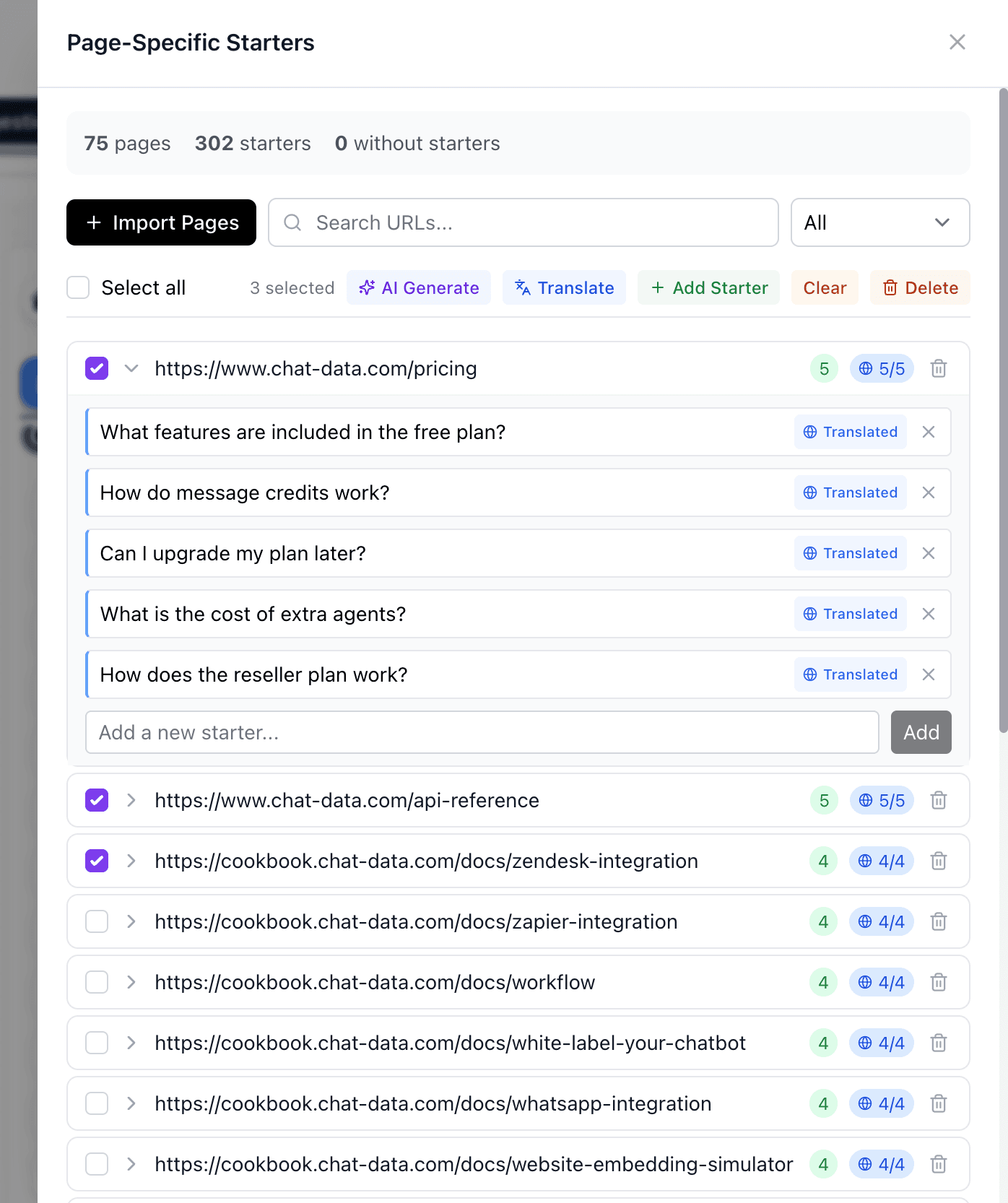
on March 22, 2026Your chatbot can now show tailored conversation starters based on the page your visitor is browsing. Instead of showing the same generic starters everywhere, each page on your website can display its own set of relevant conversation starters — helping visitors find answers faster and engage more meaningfully.
Why It Matters
- Contextual Experience — A visitor on your pricing page sees starters about plans and billing, while someone on your docs page sees starters about setup and integration.
- Better Engagement — When conversation starters match the topic of the page, visitors are more likely to click and start a conversation.
- AI-Powered Generation — No need to write starters manually for every page. Our AI generates relevant conversation starters based on your page content in seconds.
- Multilingual Support — Translate your page-specific conversation starters into multiple languages with one click, so every visitor sees starters in their preferred language.
How to Get Started
- Go to Chat Interface > Suggestion Messages > Manage Page-Specific Starters
- Import your pages — pull them in from your sitemap, enter URLs manually, or select from your existing training data
- Generate starters — use AI Generate to create relevant conversation starters for each page, or add them manually
- Translate (optional) — click Translate to make your conversation starters available in multiple languages
That's it — your chatbot will automatically detect which page a visitor is on and show the matching conversation starters.
Fallback Behavior
Pages without custom conversation starters will continue to display your chatbot's default conversation starters, so there's no disruption to your existing setup.
Availability
Page-specific conversation starters are available on Standard and Professional plans.