Sub-User Management for SSO Plan

Samuel Su
on April 22, 2026If you're on the SSO plan, you previously needed to build your own user management and authentication system to let your customers access their assigned chatbots. That's a significant engineering effort — especially if you don't have a tech stack ready for it.
Sub-User Management removes that friction entirely. You can now add your customers as sub-users directly in Chat Data, and we handle everything: login page, authentication, session management, and access control.
What's New
Native Sub-User Management
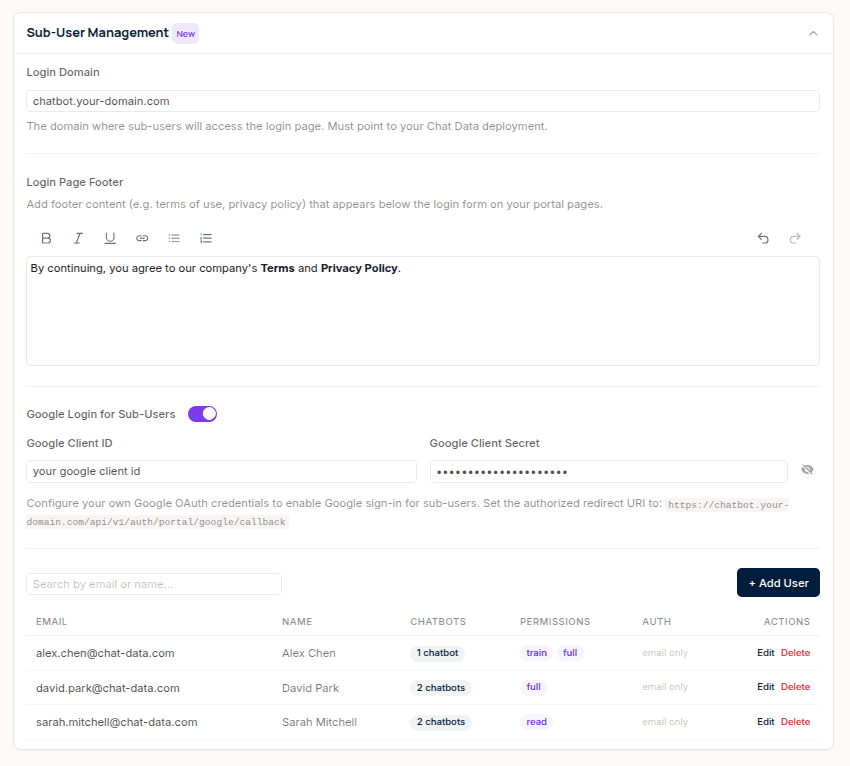
Add, edit, and remove sub-users from the Account → SSO Login → Sub-User Management panel. For each sub-user, you configure:
- Email and name for identification
- Chatbot assignment — select which chatbots this sub-user can access
- Permissions — control what the sub-user can do (read, train, or full access)
- Google OAuth — optionally configure your own Google OAuth credentials so sub-users can sign in with Google
- Login page footer — add rich-text content like terms of service and privacy policy links using the built-in editor
Branded Portal Login Page
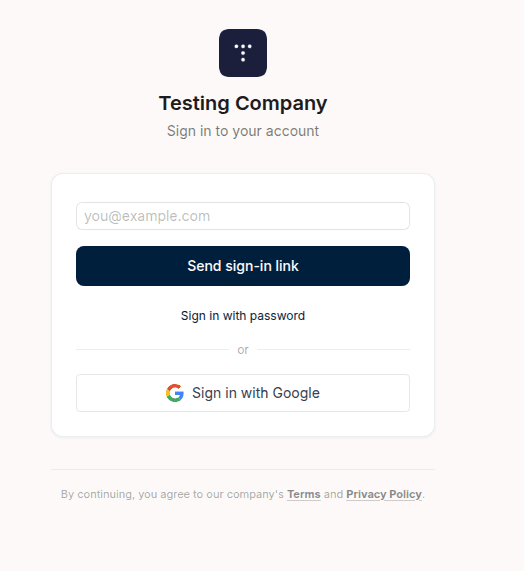
Set a custom login domain and we generate a fully branded login page for your sub-users — your company logo, name, and footer content. Three authentication methods are supported out of the box:
- Magic link — Sub-users enter their email and receive a one-click sign-in link
- Email and password — Toggle to traditional login with password management
- Google OAuth — One-click Google sign-in using your own OAuth credentials
Full Chatbot Management for Sub-Users
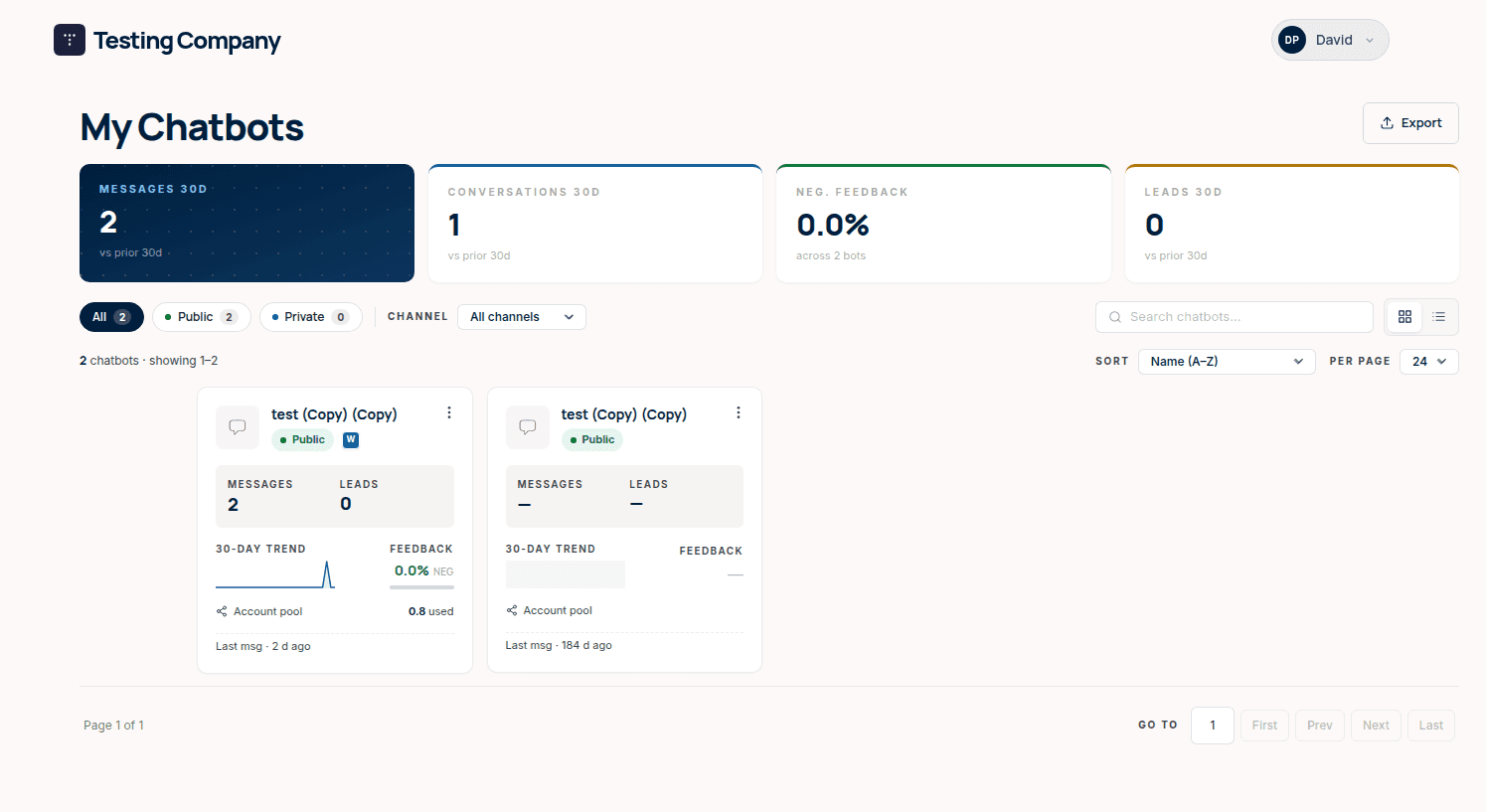
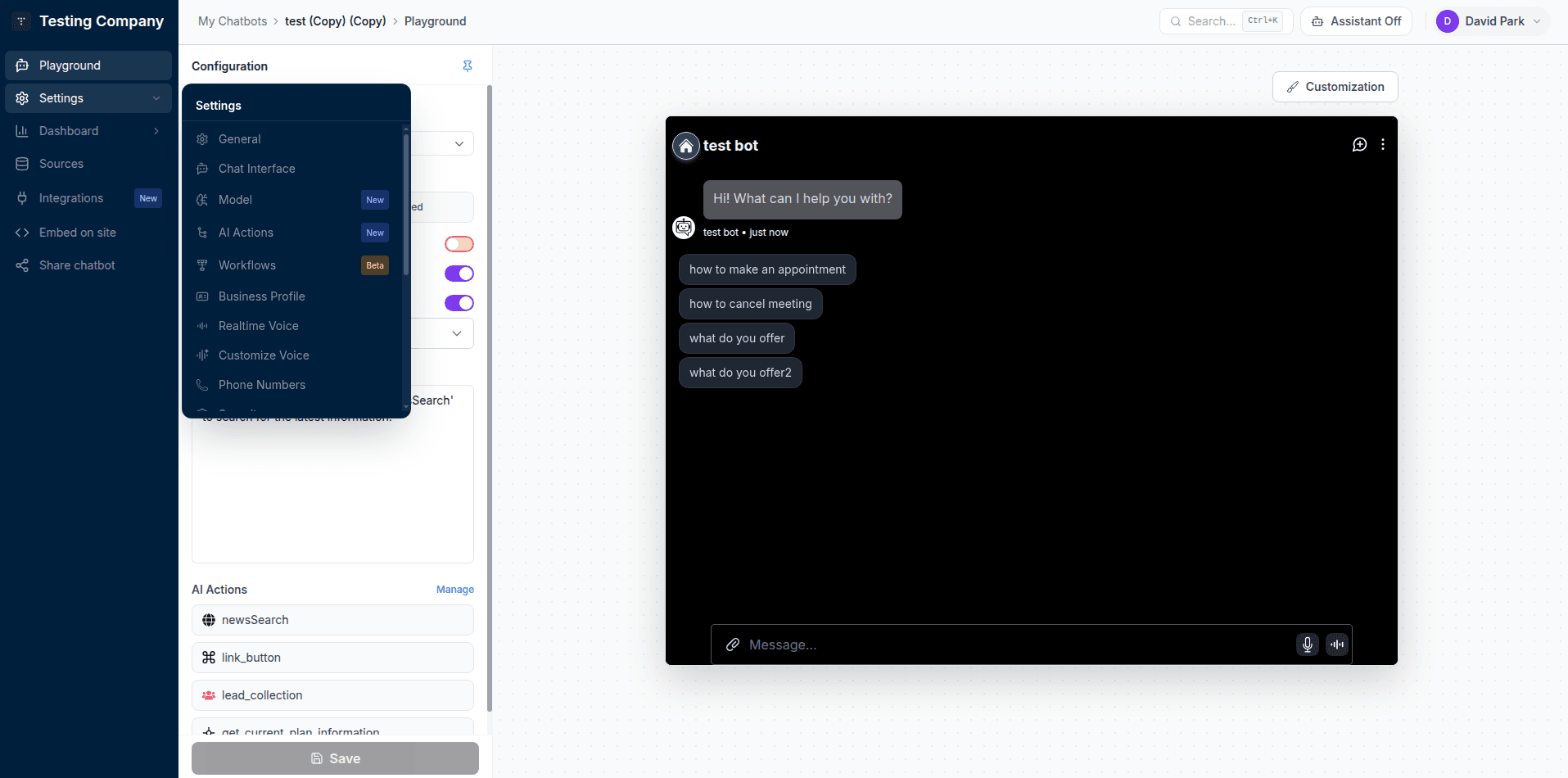
Once logged in, your sub-users get a full-featured experience under your company branding:
- My Chatbots dashboard with KPI metrics — messages, conversations, feedback rate, and leads across their assigned chatbots
- Complete chatbot settings — General, Chat Interface, Model, AI Actions, Workflows, Business Profile, Realtime Voice, and more, based on their permission level
- Playground to test their chatbot with live preview
- Update their profile including avatar and password (when password auth is enabled)
API Access
Manage sub-users programmatically through our API endpoints:
- List sub-users — Retrieve all sub-users in your company
- Create sub-user — Add a new sub-user and assign them to specific chatbots
- Delete sub-user — Remove a sub-user programmatically
This is ideal for bulk onboarding, automation workflows, or integrating sub-user management into your existing admin tools.
Getting Started
- Go to Account → SSO Login and expand Sub-User Management
- Set your login domain (the domain where sub-users will access the login page)
- Add sub-users by email and assign them to one or more chatbots
- Optionally enable Google OAuth and add a login page footer
- Share the login URL with your users — they're ready to go
Try It Out
Want to see the sub-user experience firsthand? We've set up a live demo portal you can log into:
- Go to sso-test.telebase.ai/login
- Use [email protected] as the email and sso-test-chat-data-2025 as the password
- Explore the My Chatbots dashboard, chatbot settings, and playground as a sub-user
Documentation
For a step-by-step setup guide, see the full documentation: Company Sub-User Management.
Good to Know
- This is an alternative to SSO redirect, not a replacement. If you already have SSO token-based authentication working, it continues to work as before. Sub-User Management is for customers who want user management without building their own auth system.
- Sub-user permissions are controlled by the admin. Each sub-user only sees the chatbots you assign to them.
- Works with your existing plan. Sub-user activity uses message credits from your SSO plan, just like SSO redirect users.