Start WhatsApp Conversations with Templates and Campaigns

Samuel Su
on November 3, 2026We're excited to introduce WhatsApp templates and campaigns for the official WhatsApp integration. Until now, your AI agent could only answer customers who wrote first, and once a customer had been quiet for a day, WhatsApp wouldn't let you write back. Now you can reach out first, bring quiet conversations back, and run whole campaigns from Chat Data.
What's new
- Send approved templates from Chat Data. A new Outbound section lists the templates approved for your WhatsApp numbers, with a live preview. Fill in the details and send one to any customer.
- Reopen quiet conversations from Live Chat. When a customer hasn't written in a while, Live Chat tells you and offers Choose template, so your team can pick up the conversation again instead of hitting an error.
- Campaigns. Pick a template, choose who gets it from your leads or a list of numbers, and send it now or schedule it for later. Each customer gets their own name and details in the message.
- Replies go where you want. Let your AI agent answer replies to a campaign, or send them straight to your team in Live Chat.
- Follow every message. See which messages were sent, delivered, read and replied to, and why any failed. Answers to WhatsApp forms (Flows) are collected for you.
- Bring your contacts. Import leads from a CSV or Excel file and give them your own fields, such as city or plan, to use in messages and audiences.
- Built for developers too. Send templates and run campaigns through the API, and get delivery updates and form answers through webhooks.
How it works
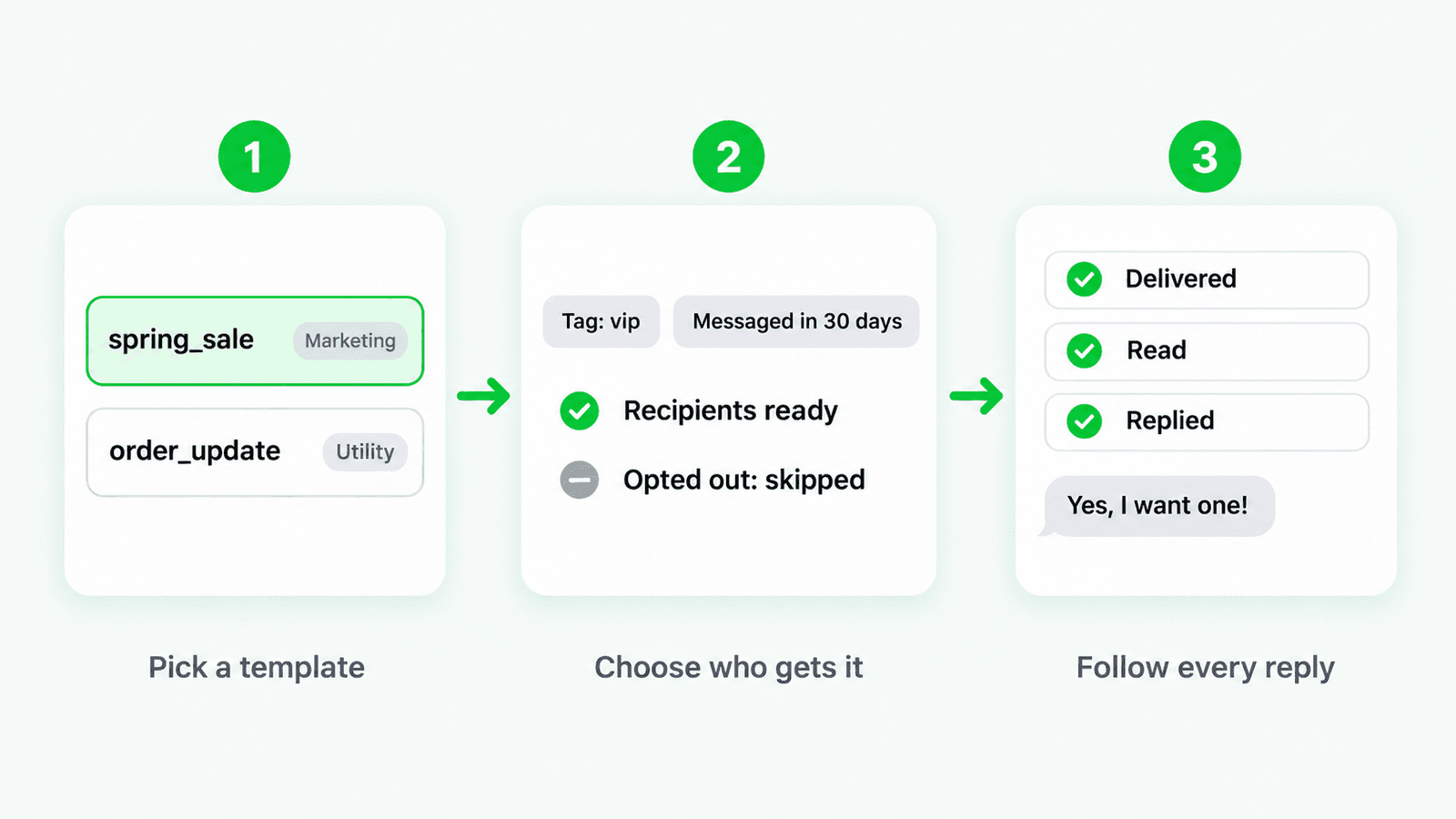
- Pick a template that WhatsApp has approved for your number.
- Choose who gets it, one customer or an audience from your leads. Marketing campaigns skip customers who opted out of promotions.
- Follow the results as messages are delivered, read and answered, and let your AI agent or your team carry on the conversation.
Good to know
- Templates are created and approved in WhatsApp Manager, then show up in Chat Data for you to send.
- WhatsApp charges for template messages through your WhatsApp Business account.
- Customers stay in control. If someone replies STOP, taps Stop promotions or turns off marketing messages in WhatsApp, they're left out of future marketing campaigns.
Get started
Connect the official WhatsApp integration, then open Outbound in your chatbot's menu to send your first template or create a campaign. To import contacts, go to Dashboard > Leads and click Import.