WhatsApp Automation for Business: AI Workflows, Bots, and API Use Cases

Emma Ke
on March 22, 2026CMO
15 min read
WhatsApp has over 2 billion active users, delivers 98% message open rates, and has become the primary customer communication channel in markets across Latin America, Europe, Asia, and Africa. For businesses, WhatsApp is not optional — it is where customers already are.
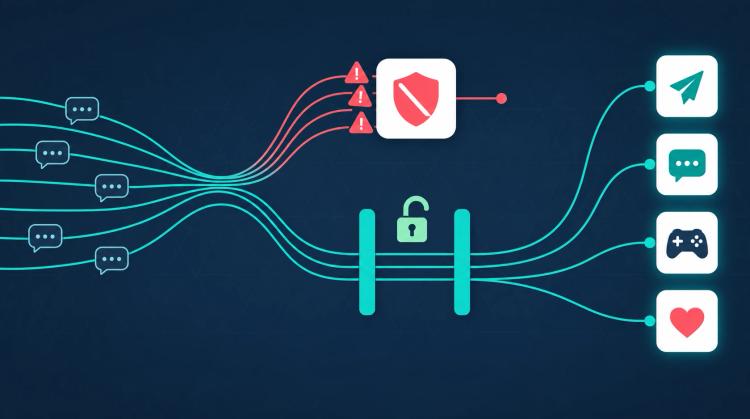
But on January 15, 2026, Meta changed the rules. Open-ended AI chatbots are banned on WhatsApp. Only task-specific AI agents with defined purposes — shopping assistance, customer support, appointment booking — are allowed. This policy shift caught thousands of businesses off guard, and most WhatsApp chatbot guides have not caught up.
The businesses that thrive on WhatsApp in 2026 need workflow-based AI agents: automation with defined entry points, structured conversation paths, validation steps, and explicit completion criteria. That is exactly what OpenClaw workflows deliver.
WhatsApp Automation for Business: Short Answer
WhatsApp automation for business uses the WhatsApp Business API to automate repeatable customer conversations such as support triage, order tracking, appointment booking, lead qualification, payment updates, and post-purchase feedback. A WhatsApp bot handles the routine path, then hands off to a human when the request is complex, sensitive, or outside the workflow.
In 2026, the strongest implementation pattern is not an open-ended chatbot. It is a task-specific AI workflow: one defined use case, structured data capture, validation, API calls, clear completion criteria, and explicit escalation. That makes the automation easier to approve, measure, and keep compliant with WhatsApp's tighter AI policy direction.
TL;DR
- WhatsApp banned open-ended AI chatbots on January 15, 2026. Only task-specific agents are allowed for shopping, support, and booking.
- Workflow-based AI agents are naturally compliant: Defined purposes, structured paths, validation nodes, and completion criteria satisfy WhatsApp requirements by design.
- OpenClaw workflows combine deterministic automation with selective AI reasoning — 70-80% of nodes cost zero AI tokens.
- Build once, deploy everywhere: Same workflow runs on WhatsApp, website, Slack, Messenger, and 5 other channels simultaneously.
- 4-week deployment: From WhatsApp Business API connection to production workflow, most businesses are live within a month.
- Cost advantage: AI agents cost $0.25-$0.50 per interaction vs. $3-$6 for human agents. Workflow approach reduces AI token costs by an additional 60-80%.
The 2026 WhatsApp Policy Change: What Businesses Need to Know
On January 15, 2026, Meta implemented a sweeping policy update across WhatsApp Business. The change targets how AI is used in business-to-customer conversations, and it fundamentally alters what kind of automation is permitted on the platform.
What Changed
Before January 2026, businesses could deploy general-purpose AI chatbots on WhatsApp. A single LLM could handle any topic — customer support, casual conversation, product recommendations, general knowledge questions — all in one interface.
After January 2026, WhatsApp requires that AI-powered interactions be task-specific. Each AI agent must have a defined purpose: shopping assistance, customer support, appointment booking, order tracking, or another specific business function. Open-ended AI chatbots that can discuss any topic are no longer permitted.
What Is Banned vs. What Is Allowed
Banned:
- General-purpose AI chatbots that respond to any topic
- AI assistants without a defined business purpose
- Conversational AI that can drift into unrestricted open-ended discussion
- AI agents that lack clear task boundaries
Allowed:
- Task-specific AI agents for customer support (order tracking, returns, FAQs)
- Shopping assistants that help customers find and purchase products
- Appointment booking and scheduling agents
- Lead qualification workflows with defined data collection steps
- Payment notification and transaction confirmation flows
- Survey and feedback collection agents
Billing Changes
WhatsApp Business API pricing also evolved in 2026. Businesses receive up to 1,000 free service conversations per month. Beyond that threshold, conversations are charged per-conversation based on category (utility, marketing, authentication, service). Template message pricing varies by country and conversation category, making cost predictability increasingly important for businesses with high WhatsApp volume.
Why This Matters for Your Business
If you are currently running a single-LLM chatbot on WhatsApp, you are either already non-compliant or at risk. Meta has been progressively enforcing the policy, and businesses that do not adapt risk having their WhatsApp Business API access suspended.
The solution is not to remove AI from WhatsApp — it is to restructure your AI into task-specific workflows that satisfy the new requirements while delivering even better automation than open-ended chatbots.
Why Workflow-Based AI Agents Are WhatsApp-Compliant
The January 2026 policy change creates a natural advantage for workflow-based AI platforms over single-LLM chatbot builders. Here is why OpenClaw workflows are inherently compliant.
Defined Purpose
Every OpenClaw workflow has an explicit purpose. A customer support workflow handles support inquiries. A booking workflow handles appointments. A sales qualification workflow captures leads. There is no ambiguity about what the agent does — it is defined in the workflow structure itself.
Single-LLM chatbots, by contrast, rely on system prompts to constrain behavior. But system prompts are suggestions, not guarantees. A sufficiently creative user message can cause an LLM to drift outside its intended scope. WhatsApp auditors cannot verify compliance based on prompt engineering alone.
Structured Entry Points
OpenClaw workflows begin with specific trigger nodes that set the conversation context. When a customer enters a workflow, they are guided through a predetermined path with branching logic — not an open-ended conversation where anything can happen.
Validation at Every Step
Validate nodes check email formats, phone numbers, and custom patterns. Condition nodes route conversations based on explicit criteria. Form nodes collect structured data rather than relying on free-text extraction. This level of input validation is exactly what WhatsApp's policy envisions for task-specific agents.
Explicit Completion Criteria
Every workflow path leads to a defined endpoint: a confirmation message, a live chat escalation, an API response, or a graceful termination. There are no infinite conversation loops and no open-ended "talk about anything" modes. The workflow completes its task and ends.
Dual-Handle Error Routing
OpenClaw's dual-handle routing ensures every error is handled explicitly. API Call nodes route to success (2xx) or error (4xx/5xx). Code Block nodes route to success or fail. Validate Block nodes route to success or fail. This means your WhatsApp agent never enters an undefined state — every outcome is anticipated and handled.
WhatsApp Automation Use Cases with OpenClaw
Here are the highest-value WhatsApp automation use cases that businesses are deploying with OpenClaw workflows in 2026.
Customer Support: Order Tracking, Returns, and FAQs
Customer support is the most common WhatsApp automation use case, and for good reason. Klarna reported that their AI assistant handled two-thirds of all customer service chats in its first month, doing the work of 700 full-time agents.
A WhatsApp support workflow built with OpenClaw typically follows this pattern:
- AI Capture node identifies customer intent (order status, return request, billing question, general FAQ)
- Condition node routes to the appropriate sub-workflow based on intent
- API Call node queries your order management system, CRM, or knowledge base
- Static Text node delivers the response with order details, return instructions, or FAQ answers
- Live Chat Escalation node connects frustrated or complex-issue customers to a human agent with full conversation context
This pattern automates 80% or more of routine support inquiries on WhatsApp while keeping humans in the loop for edge cases.
Appointment Booking and Reminders
Healthcare clinics, salons, fitness studios, and professional services all benefit from WhatsApp appointment automation:
- Form node collects preferred date, time, and service type
- API Call node checks availability in your scheduling system
- Condition node routes to available slot confirmation or alternative suggestions
- Wait node pauses the workflow for a specified duration (up to 1 day on WhatsApp Business)
- Static Text node sends appointment confirmation and pre-appointment instructions
- Scheduled follow-up sends reminders 24 hours and 1 hour before the appointment
Wait nodes are particularly valuable on WhatsApp because WhatsApp Business sessions remain active for 24 hours — giving your workflow time to handle asynchronous processes like calendar confirmations or payment processing.
Sales Qualification and Lead Capture
WhatsApp's 98% open rate makes it the highest-engagement channel for sales outreach:
- AI Conversation node engages the prospect in a natural dialogue about their needs
- Form node captures structured lead data (company name, size, budget range, timeline)
- Set node calculates a qualification score based on collected data
- Condition node routes high-score leads to immediate sales team notification and low-score leads to a nurturing sequence
- API Call node creates or updates the lead record in your CRM
- Send Email node notifies the assigned sales rep with lead details and conversation summary
Payment and Transaction Notifications
WhatsApp is increasingly used for transactional messaging:
- Webhook trigger initiates the workflow when a payment event occurs in your system
- API Call node retrieves transaction details
- Static Text node sends a formatted payment confirmation with amount, reference number, and receipt link
- Condition node checks for failed payments and routes to retry instructions or support escalation
Feedback and Survey Collection
Post-interaction surveys on WhatsApp achieve significantly higher response rates than email:
- Wait node triggers the survey 30 minutes after a support interaction or purchase
- Form node collects structured ratings (1-5 scale, multiple choice)
- AI Capture node extracts sentiment and themes from free-text feedback
- Condition node routes negative feedback to immediate support follow-up
- API Call node stores survey data in your analytics system
Building a WhatsApp Workflow with OpenClaw: Step-by-Step
Let us walk through building a complete customer support workflow for WhatsApp, from initial setup to production deployment.
Step 1: Connect WhatsApp Business API
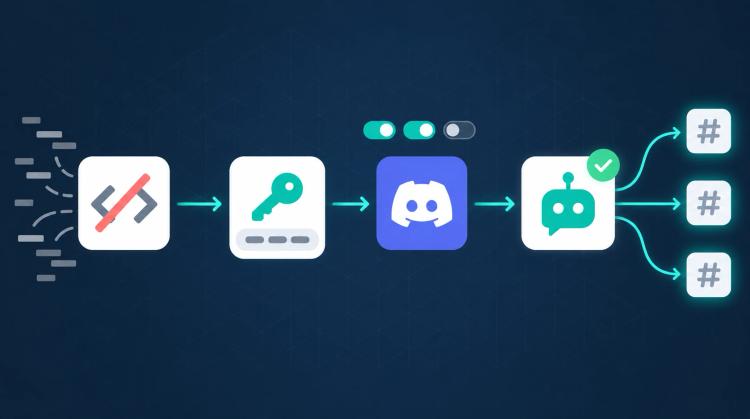
Chat Data integrates with the WhatsApp Business API through the WhatsApp chatbot integration. Once connected, your WhatsApp Business number becomes a deployment target for any OpenClaw workflow.
Step 2: Design Your Workflow Entry Point
Start your workflow with a trigger that captures the customer's initial message. An AI Capture node works well here — it analyzes the incoming message and extracts the customer's intent into a session variable.
Configure the AI Capture node with a focused prompt: "Classify the customer message into one of these categories: order_status, return_request, billing_question, product_inquiry, speak_to_agent." This constrained classification is exactly the kind of task-specific AI that WhatsApp's policy allows.
Step 3: Build Your Routing Logic
Add a Condition node that reads the intent variable and routes to different branches:
- order_status branch connects to an API Call node that queries your order system
- return_request branch leads to a Form node that collects order number and return reason
- billing_question branch routes to an AI Conversation node with access to your billing FAQ knowledge base
- product_inquiry branch connects to a Carousel node displaying relevant products
- speak_to_agent branch triggers a Live Chat Escalation node
Step 4: Handle Each Branch
For the order status branch:
- API Call node sends a GET request to your order management API with the customer's phone number or order ID
- On success (2xx), a Static Text node formats and delivers the order details
- On error (4xx/5xx), a Static Text node apologizes and offers to connect with a human agent
For the return request branch:
- Validate node checks the order number format
- On success, an API Call node checks return eligibility
- On fail, a Static Text node asks the customer to re-enter a valid order number
Step 5: Add Live Chat Escalation
Every WhatsApp workflow should include a Live Chat Escalation node as a safety net. Configure it to trigger when:
- The AI Capture node detects frustration or urgency
- The customer explicitly asks to speak with a human
- An API call fails and the automated path cannot resolve the issue
The escalation node hands the conversation to a human agent with full context — the conversation history, extracted variables, and the workflow path taken so far. The human agent picks up exactly where the workflow left off.
Step 6: Test Before Deployment
Chat Data provides two testing modes:
- Manual testing lets you send custom messages and see exactly which nodes execute, what variable values are set, and what responses are generated
- AI simulation creates test personas (an impatient customer, a first-time buyer, a technical user) that run through your workflow automatically, testing edge cases you might not think of
Run both testing modes before deploying to WhatsApp. Verify that every branch works correctly, every API call handles both success and error responses, and every validation node catches invalid inputs.
WhatsApp-Specific Features in Chat Data
Chat Data's WhatsApp integration includes several platform-specific capabilities that enhance your workflow automation.
Wait Nodes for Asynchronous Processes
WhatsApp Business sessions remain active for 24 hours after the last customer message. Chat Data's Wait nodes can pause a workflow for up to one day, enabling:
- Delayed follow-up messages after a support interaction
- Time-gated processes like payment confirmation waiting periods
- Scheduled reminder sequences within the session window
Webhook-Triggered Conversations
External events can trigger WhatsApp conversations through webhooks. When an order ships, a payment fails, or an appointment is approaching, your backend system sends a webhook to Chat Data, which initiates the appropriate workflow on WhatsApp. This enables proactive messaging rather than waiting for the customer to reach out.
Rich Message Types
WhatsApp supports multiple message formats, and Chat Data workflows leverage all of them:
- Text messages with formatting for standard responses
- Image messages for product photos, receipts, or instructional visuals
- File messages for invoices, contracts, or documentation
- Audio messages for voice-based responses in markets where voice is preferred
- Quick replies that map to WhatsApp interactive buttons, guiding customers through workflow branches with single-tap responses
Automatic Platform Adaptation
When your workflow includes rich formatting, links, or media, Chat Data automatically adapts the content for WhatsApp's capabilities. Markdown is translated, URLs are formatted appropriately, and file attachments are delivered in WhatsApp-compatible formats. This means a single workflow designed for your website widget works on WhatsApp without modification.
Cost and ROI of WhatsApp Automation
WhatsApp Business API Pricing in 2026
WhatsApp Business API uses a per-conversation pricing model:
- Service conversations (customer-initiated): Up to 1,000 free per month. Beyond that, pricing varies by country.
- Utility conversations (order confirmations, shipping updates): Charged per conversation.
- Marketing conversations (promotions, re-engagement): Highest per-conversation cost.
- Authentication conversations (OTP, verification): Charged per conversation.
For most businesses, the 1,000 free service conversations per month cover a significant portion of support volume. The key to managing WhatsApp costs is maximizing resolution within service conversations (customer-initiated, lower cost) and minimizing unnecessary marketing conversations (business-initiated, higher cost).
AI Token Cost Savings with Workflows
The workflow approach delivers significant AI cost savings compared to pure chatbot implementations:
Pure chatbot approach: Every customer message is processed by a large language model. A 10-message support conversation generates 10 LLM calls. At scale, this creates unpredictable and often expensive token costs.
Workflow approach: In a typical OpenClaw workflow, 70-80% of nodes are deterministic (static text, validation, API calls, routing) and cost zero AI tokens. Only the 20-30% of nodes that genuinely need AI reasoning (intent classification, data extraction, personalized responses) consume credits. This reduces AI token costs by 60-80% compared to pure chatbot approaches.
Industry ROI Data
Industry research shows that AI agents cost $0.25-$0.50 per interaction compared to $3.00-$6.00 for human agents — an 85-90% cost reduction. For a business handling 500 WhatsApp support conversations per day:
- Human-only support: 500 conversations x $4.50 average cost = $2,250/day = $67,500/month
- AI workflow support (80% automation): 400 automated at $0.40 + 100 human-handled at $4.50 = $610/day = $18,300/month
- Monthly savings: $49,200 or 73% cost reduction
The combination of WhatsApp's free service conversation tier and OpenClaw's selective AI usage makes WhatsApp automation one of the highest-ROI channels for business AI deployment.
WhatsApp Automation: OpenClaw vs. Other Platforms
Compared to WATI
WATI is a WhatsApp-specific automation platform built on the WhatsApp Business API. It offers template management, broadcast messaging, and basic chatbot flows. However, WATI's automation is limited to simple rule-based responses and does not include AI-powered nodes, multi-model flexibility, or workflow features like dual-handle error routing and code execution. For businesses that need sophisticated automation logic beyond basic auto-replies, OpenClaw workflows provide a more capable foundation.
Compared to Chatarmin
Chatarmin focuses on WhatsApp marketing automation with strong campaign management, audience segmentation, and analytics. It excels at outbound messaging but is less suited for complex inbound support workflows that require API integrations, conditional routing, and AI reasoning. OpenClaw complements marketing-focused tools by handling the operational automation side — support, booking, qualification — that campaigns generate.
Compared to respond.io
respond.io is an omnichannel messaging platform that aggregates conversations from WhatsApp, Messenger, Telegram, and other channels into a single inbox. It offers workflow automation with triggers, conditions, and actions. Where Chat Data differs is in the depth of AI integration — AI Conversation nodes, AI Capture nodes, multi-model selection (GPT, Claude, Gemini), and the visual workflow builder with 20+ node types. respond.io treats AI as an add-on; Chat Data treats it as a first-class workflow component.
Compared to n8n + WhatsApp
n8n is an open-source workflow automation tool that can connect to WhatsApp through API nodes. It is powerful for backend automation but lacks native conversational AI, customer-facing chat interfaces, and real-time message handling. Building a WhatsApp chatbot in n8n requires significant custom development for conversation state management, message queuing, and AI integration. OpenClaw workflows provide these capabilities out of the box with a visual builder designed specifically for conversational automation.
The Chat Data Advantage
Chat Data is the only platform that combines native conversational AI + deterministic workflow automation + omnichannel deployment in a single product. You do not need to stitch together a chatbot platform, a workflow tool, and a messaging aggregator. One OpenClaw workflow handles the complete customer journey — from WhatsApp message receipt through AI-powered processing to resolution or human escalation — with execution history, governance, and multi-model flexibility.
Getting Started: From Zero to Live WhatsApp Automation
Most businesses overthink the starting point. You do not need to automate everything on day one. The fastest path to ROI is picking one high-volume, low-complexity use case and nailing it before expanding.
Pick Your First Workflow
Look at your WhatsApp message history (or your support ticket data) and find the question that appears most often. For most businesses, it is one of these:
- "Where is my order?" (e-commerce)
- "Can I book an appointment for..." (services)
- "How do I return this?" (retail)
- "What are your prices for..." (sales)
That single question is your first workflow. Do not try to automate five use cases at once.
Connect and Build
Set up your WhatsApp Business API integration with Chat Data. Then open the visual workflow builder and map the conversation path for your chosen use case. Start simple: an AI Capture node to understand the request, an API Call node to fetch the relevant data, and a Static Text node to deliver the answer. Add a Live Chat Escalation node as the fallback. That is a production-ready workflow in its simplest form — you can add sophistication later.
Test Like a Real Customer
Before going live, break your own workflow. Send it misspelled inputs, incomplete information, angry messages, and completely off-topic questions. Use Chat Data's AI simulation to throw different customer personas at it — the impatient customer who sends three messages in a row, the confused first-timer who provides the wrong order number, the person who immediately demands a human agent. Every failure you catch in testing is a failure your real customers never see.
Go Live, Then Iterate
Deploy to your WhatsApp Business number and watch the chat logs for the first 48 hours. You will immediately see patterns: which branches get used most, where customers drop off, which API calls fail, and what questions your workflow was not designed to handle. Use these insights to refine — add a new branch, improve a prompt, handle an edge case. The best WhatsApp workflows are not designed perfectly upfront. They are improved continuously based on real conversation data.
Scale Across Channels
Once your WhatsApp workflow is stable and hitting your target automation rate, deploy the same workflow to your website widget, Slack, Discord, Messenger, Instagram, Telegram, or LINE. No rebuilding required — Chat Data handles platform-specific adaptations automatically. Every additional channel multiplies the ROI of the workflow you already built.
The Future of WhatsApp Business Automation
WhatsApp's 2026 policy change is not a setback for business automation — it is an upgrade. By requiring task-specific AI agents, Meta is pushing the industry toward more reliable, more governed, and more effective automation. The businesses that adopt workflow-based approaches now will be better positioned than those clinging to single-LLM chatbots that may stop working at any time.
Gartner predicts that 40% of enterprise applications will feature task-specific AI agents by end of 2026. WhatsApp, with 2 billion users, is the largest platform mandating this approach. The convergence is clear: task-specific workflow automation is the future of business AI, and WhatsApp is leading the way.
Chat Data's OpenClaw platform is built for this moment:
- WhatsApp-compliant by design: Workflow architecture naturally satisfies task-specific requirements
- Cost-optimized: Selective AI usage reduces token costs by 60-80% compared to pure chatbot approaches
- Omnichannel-ready: Build once for WhatsApp, deploy everywhere
- Enterprise controls: Role-based access, HMAC authentication, and operational workflow debug output
- Fast to deploy: Start with one use case, go live, and expand from there
Start building your WhatsApp AI workflow today — connect your WhatsApp Business API, pick your highest-volume use case, and deploy your first task-specific automation.
Frequently Asked Questions
Are AI chatbots still allowed on WhatsApp in 2026?
Open-ended AI chatbots are no longer allowed on WhatsApp as of January 15, 2026. Meta now requires all AI-powered interactions to be task-specific agents with defined purposes such as shopping assistance, customer support, or appointment booking. General-purpose conversational AI that can discuss any topic is banned. Workflow-based AI agents like those built with OpenClaw are compliant because each workflow has a defined entry point, specific purpose, validation steps, and completion criteria.
What is WhatsApp automation for business?
WhatsApp automation for business uses the WhatsApp Business API to automate customer interactions such as order tracking, appointment booking, lead qualification, payment notifications, and customer support. Instead of manually replying to every message, businesses deploy AI workflows that handle routine inquiries automatically while escalating complex issues to human agents. With over 2 billion users and 98% message open rates, WhatsApp is the highest-engagement channel for business automation.
How does OpenClaw make WhatsApp workflows compliant with the 2026 policy?
OpenClaw workflows are inherently task-specific by design. Each workflow has a defined purpose (e.g., order tracking, appointment booking), structured entry points that guide conversations along predetermined paths, validation nodes that verify user inputs, and explicit completion criteria. This architecture naturally satisfies WhatsApp 2026 requirements because workflows cannot drift into open-ended conversation the way single-LLM chatbots can.
What types of WhatsApp automation can I build with Chat Data?
Chat Data supports a wide range of WhatsApp automation use cases: customer support workflows (order status, returns, FAQs), appointment booking and reminder sequences, sales qualification and lead capture flows, payment and transaction notifications, feedback and survey collection, and onboarding sequences. Each workflow uses deterministic nodes for reliability combined with AI nodes only where reasoning is needed, keeping costs predictable.
How much does WhatsApp Business automation cost?
WhatsApp Business API pricing includes free service conversations (up to 1,000 per month) and per-conversation charges beyond that threshold. Chat Data adds workflow automation on top at SMB-accessible pricing. The workflow-based approach reduces AI token costs by 60-80% compared to pure chatbot approaches because only AI nodes consume credits while static text, validation, API calls, and routing cost nothing in AI tokens. Industry data shows AI agents cost $0.25-$0.50 per interaction versus $3-$6 for human agents.
Can I use the same workflow on WhatsApp and other channels?
Yes. Chat Data supports true omnichannel deployment. You build one OpenClaw workflow and deploy it simultaneously to WhatsApp, your website widget, Slack, Discord, Facebook Messenger, Instagram, Telegram, and LINE. Platform-specific adaptations like markdown translation, URL signing, and audio conversion are handled automatically. WhatsApp-specific features such as wait nodes (up to 1 day for WhatsApp Business session windows) and message type support (text, images, files, audio) work seamlessly.
How long does it take to deploy a WhatsApp AI workflow?
Most businesses deploy their first WhatsApp automation workflow within 4 weeks. Week 1: Connect WhatsApp Business API and map your highest-volume use case. Week 2: Build the workflow using Chat Data visual builder with appropriate node types. Week 3: Test with AI simulation and manual testing across all branches. Week 4: Deploy to production and monitor your chat logs. Compare this to enterprise platforms requiring 6-12 months of implementation.